Custom Web Applications Built for Scale
From idea to deployed web app - I handle the full stack. Frontend, backend, database, deployment, and ongoing support.
- Typical timeline
- 2-8 weeks
- Typical investment
- $3,000 – $50,000
Smaller focused builds — internal tools, simple dashboards, and landing pages with functionality — can start around $3K. More substantial web applications and platforms are scoped according to product complexity.
Who This Is For
Web applications are the backbone of modern businesses. Whether you need a SaaS dashboard, an internal admin panel, or a customer-facing platform, I build production-grade web apps that scale.
- ✓Startups building web-first products and internal tools
- ✓Businesses automating manual processes with custom web apps
- ✓Agencies delivering web applications for clients
- ✓Companies replacing spreadsheets with purpose-built software
- ✓Teams needing custom dashboards, portals, or admin panels
Who This Isn't For
- ✗Simple brochure or landing page websites — those are better suited for a website redesign or landing page project
- ✗E-commerce stores needing catalog management and checkout — see my e-commerce development service
- ✗Content-heavy blogs or media sites without complex user interactions
- ✗Projects that require a dedicated design team — I build from Figma files but do not offer brand-level design services
Development Process
From idea to deployment. Each phase has clear deliverables so you always know where we stand.
Requirements & Architecture
Week 1
We define features, user roles, database structure, API design, and deployment strategy. You get a clear technical specification before any code is written.
Full-Stack Development
Week 2-6
I build frontend (React/Next.js), backend (Node.js/Python), database (PostgreSQL/MongoDB), and API layer. Weekly progress updates with staging deployments so you see working features every week.
Testing & QA
Week 6-7
I test across browsers, devices, and user scenarios. Authentication flows, payment processing, and integrations are verified before launch. You get a QA report at the end.
Production Deployment
Week 8
Deployed to Vercel, AWS, or your preferred host. Monitoring, CI/CD pipeline, and 2 weeks post-launch support included. You get a launch day checklist and deployment documentation.
What's Included in Every Project
Every web application development project ships with these core components pre-architected.
Authentication & Authorization
Email/password, Google SSO, magic links, or custom auth. Role-based access control with protected routes and session management.
Database & API Layer
PostgreSQL, MongoDB, or Supabase with REST/GraphQL APIs. Auto-generated documentation with Swagger or GraphQL Playground.
Admin Dashboard
User management, content controls, analytics overview, and system health monitoring built into every web app.
Payment Integration
Stripe, Razorpay, or PayPal integration with webhook handling, invoice generation, and subscription management if needed.
Responsive Frontend
Mobile-first responsive design with React or Next.js. Server-side rendering for SEO and static generation where appropriate.
Deployment & Monitoring
CI/CD pipeline, automated testing, staging environment, production monitoring, and error tracking from day one.
Why Custom Web Apps Beat Page Builders
WordPress and Webflow are great for marketing sites. But when you need custom business logic, complex data relationships, or scalable architecture — custom web apps win every time.
Your Business Logic, No Workarounds
Custom database schemas, API integrations, and automations — not bolting features onto a CMS that wasn't designed for them.
Performance by Design
No bloated plugins, no unnecessary JavaScript, no shared hosting bottlenecks. Every page is optimized for Core Web Vitals from the start.
Scalable Architecture
Start with a single server, grow to a distributed system. The architecture supports it without rewrites.
Full Source Code Ownership
No platform lock-in. Your code, your repo, your deployment. Switch hosts, add developers, or sell the business — you control everything.
Security Built In, Not Bolted On
Authentication, input validation, SQL injection prevention, rate limiting, and CORS are part of the architecture, not WordPress plugins that need updates.
Custom Web App vs Page Builders
WordPress and Webflow are excellent for content sites. But for web applications with custom logic, user roles, and complex data — they create more problems than they solve.
| Custom Development | Page Builders / CMS Platforms | |
|---|---|---|
| Custom business logic | Native — built exactly to your requirements | Plugin hacks and workarounds |
| Database design | Custom schema optimized for your data | Limited to CMS content types |
| User roles & permissions | Fine-grained RBAC, any structure | Basic admin/editor roles only |
| API integrations | REST/GraphQL APIs built for your app | Plugin-dependent, limited flexibility |
| Performance | Optimized builds, 90+ Lighthouse scores | Plugin bloat, shared hosting bottlenecks |
| Security | Auth, validation, rate limiting built in | Plugin vulnerabilities, constant updates |
| Scalability | Horizontal scaling, CDN, caching | CMS limits, requires migration at scale |
| Source code ownership | 100% yours — full repo access | Tied to platform, migration costs later |
| Timeline to launch | 2-8 weeks for most web apps | 1-3 weeks for simple sites |
| Maintenance cost | Lower — no plugin subscriptions | Higher — plugins, hosting, security updates |
Not sure if you need a custom web app or a CMS-based site? Let's discuss your project in a free discovery call.
Discuss Your Web App ProjectReal-World Experience
I've built production web applications including SaaS dashboards (PeptiSync admin panel with analytics), custom CMS platforms (CanvasInc for luxury interior design), and business tools (ProfitPlate calculator hub). Every app is built with Next.js or React, deployed globally, and optimized for performance.
What You'll Receive
Every project ships with these deliverables — no add-ons, no surprises.
Production-grade React/Next.js application with SSR, responsive design, and global CDN deployment.
Email/password, Google SSO, magic links, or custom auth. Session management and role-based access control.
PostgreSQL, MongoDB, or Supabase with proper indexing, migrations, and backup strategy.
Well-documented API with authentication, rate limiting, and proper error handling. Swagger or GraphQL Playground included.
User management, content controls, analytics, and system monitoring. Customized to your specific needs.
Vercel, AWS, or Railway with CI/CD pipeline, SSL, custom domain, and monitoring.
Stripe, Razorpay, or PayPal with webhooks, invoice generation, and subscription management if needed.
Bug fixes, performance monitoring, and user feedback implementation included.
Tech Stack Rationale
Every technology is chosen for a reason — not just because it is popular.
Next.js + TypeScript
Industry standard for production React apps. Server-side rendering for SEO, static generation for landing pages, API routes for lightweight backend, and TypeScript prevents entire categories of runtime bugs.
PostgreSQL + Prisma
The most mature open-source relational database. Prisma provides type-safe queries and auto-generated migrations — database changes are checked at compile time, not runtime.
Node.js / Python
Node.js for real-time applications and API servers with high I/O. Python (FastAPI/Django) for data-heavy applications, AI/ML integrations, or when your team prefers Python.
Vercel / AWS
Global CDN for fast page loads worldwide, automatic SSL, zero-downtime deployments, and edge functions for localized logic near your users.
Stripe / Payment Gateways
Stripe handles PCI compliance, subscription billing, invoicing, and global payments. Webhooks ensure reliable payment state management without polling.
Common Mistakes to Avoid
I have seen the same patterns stall or kill promising projects. Here is what to avoid — and how I help you sidestep each one.
❌ Starting with too many features
Fix: Launch with the core user flow only. Add features based on what real users ask for, not what you assume they need.
❌ Skipping authentication until later
Fix: Build auth from day one. Retro-fitting authentication into an existing codebase is expensive and risky.
❌ Choosing a stack before defining requirements
Fix: Let the project requirements drive the stack choice, not developer preference. A CMS may be right for some projects.
❌ Ignoring mobile responsiveness
Fix: Over 60% of web traffic is mobile. I build mobile-first responsive design as standard, not as an afterthought.
❌ No error tracking or monitoring at launch
Fix: Sentry error tracking and uptime monitoring are configured before the first user signs up. You know when something breaks before your users tell you.
❌ Underestimating deployment complexity
Fix: I handle CI/CD, SSL, domain setup, and monitoring as part of the build — not as a separate 'deployment phase' after development.
Frequently asked questions
What tech stack do you use?↓
I work with any stack your project needs. Common choices: Next.js + Node.js + PostgreSQL for web apps, Python + FastAPI for APIs, React Native or Flutter for mobile. I recommend the best tools for your specific use case - not just what I prefer.
How long does a web app take to build?↓
A focused MVP typically takes 2-4 weeks. A full-featured product is 6-12 weeks. Timeline depends on complexity and scope, which we define together in a free discovery call before any work starts.
Do you handle design too?↓
Yes. I can work from your Figma file, or design from scratch. Every project includes mobile-responsive, clean UI as standard.
What happens after launch?↓
Every project includes 2 weeks of free post-launch support. After that, monthly maintenance retainers are available. I also hand over complete source code and documentation.
Related case studies
See how I built production web applications: CanvasInc (custom CMS replacing WordPress for a luxury interior design studio), PeptiSync (full-stack HealthTech SaaS dashboard with analytics), and ProfitPlate (restaurant calculator platform with SEO-first architecture).
Web Development
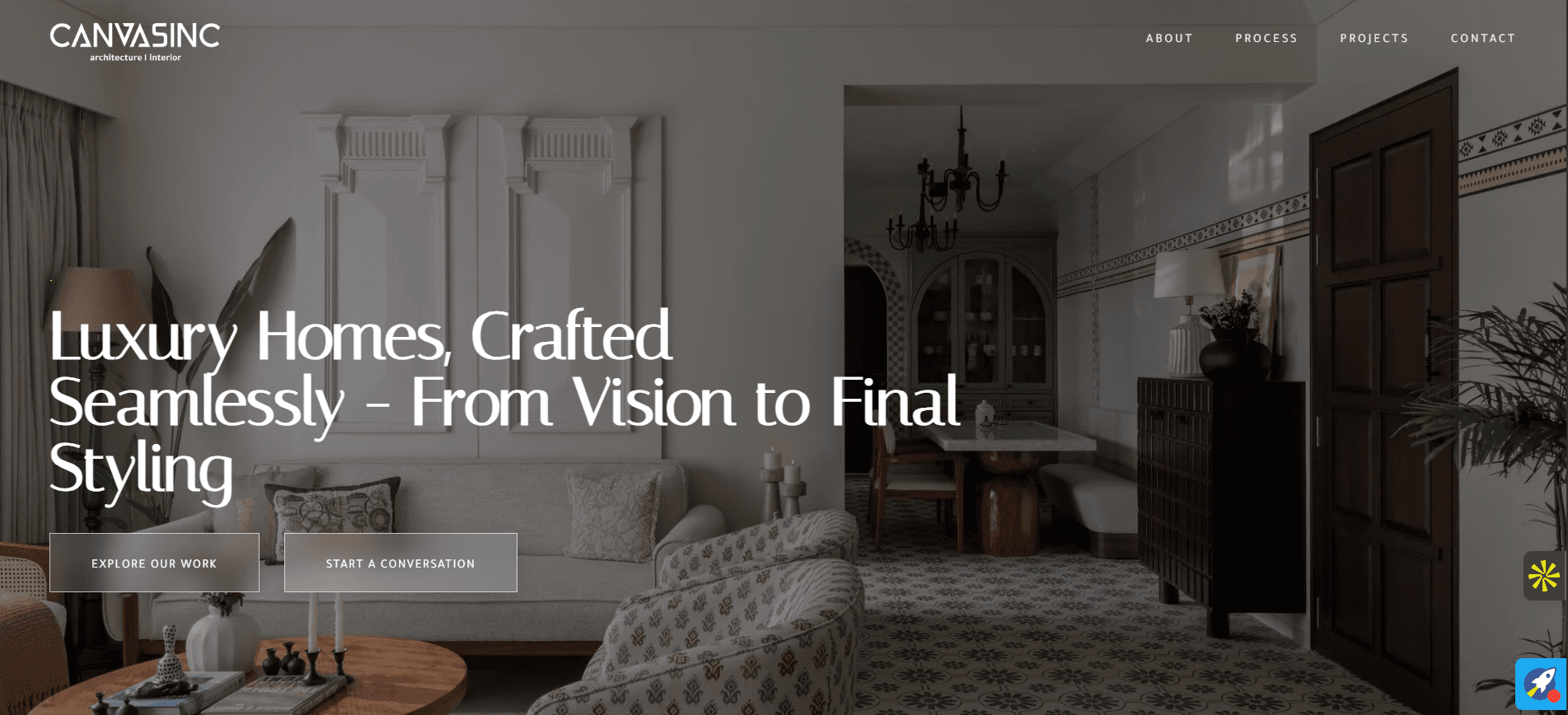
CanvasInc
A premium Next.js platform replacing WordPress with a custom headless CMS, enabling independent content management for a Mumbai-based luxury interior design studio.
View case study →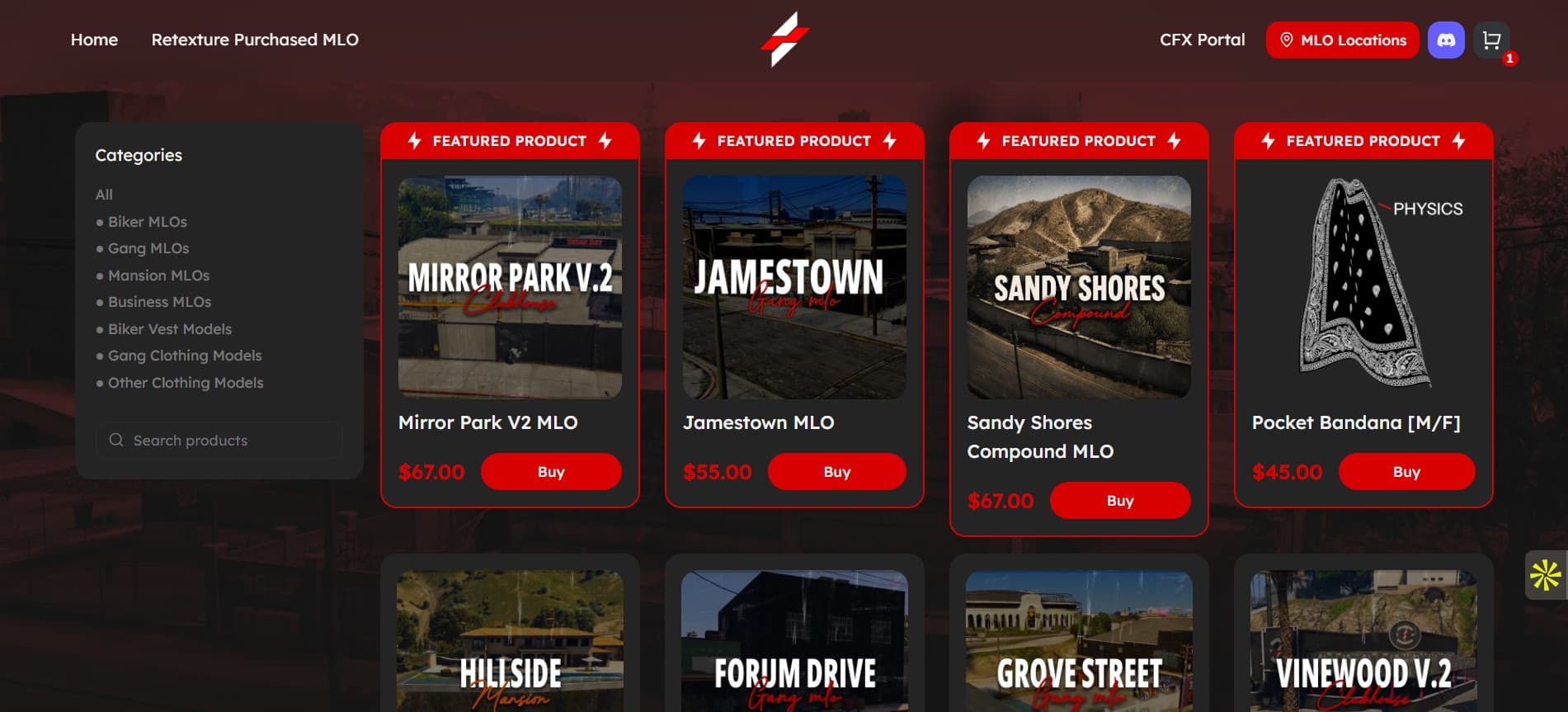
Gaming Marketplace
Zeron.dev
Resolved a revenue-critical production payment issue and built an interactive GTA map that transformed how customers discover in-game assets on this FiveM marketplace.
View case study →From the Blog
Deep dives into web application development — written while building real products.
MVP Development Cost in 2026: Complete Guide
How much does MVP development cost in 2026? $15K–$150K+ depending on complexity, with industry-specific breakdowns and hidden costs revealed.
Read article →Custom CMS for Non-Technical Clients
How I replaced WordPress with a custom CMS that lets non-technical teams manage content independently.
Read article →TypeScript Patterns for Production React
Practical TypeScript patterns for building maintainable production React applications that scale.
Read article →How Much Does It Cost to Build a Web App?
A transparent breakdown of web application development costs — what factors determine the price and how to budget.
Read article →Build Your Web Ecosystem
A successful web application development needs more than just one solution. These complementary services help you go further.
Mobile App Development
Extend your web app with native iOS and Android apps from a single Flutter or React Native codebase.
View service →SaaS Development
Turn your web app into a subscription product with multi-tenant architecture, Stripe billing, and admin dashboards.
View service →API & Backend Development
Custom APIs, microservices, and third-party integrations for web applications that need dedicated backend services.
View service →Resources & Tools
Use these free tools and guides to plan your web application development project before we talk.
Project Cost Calculator
Get a realistic estimate for your project based on platforms, features, and complexity.
Estimate your project →SaaS MVP Planning Wizard
Answer a few questions and get a personalised planning report with actionable next steps.
Start planning →Founder Resource Library
Comparison guides, checklists, and templates to help you make better technical decisions.
Browse resources →Related services
Ready to get started?
Tell me about your web application development project and I will get back to you within 4 hours with an honest assessment and a quote. You can also book a call if that is easier for your team.